Best 3D Printers for Beginners: 6 Models Under $500
A hands-on comparison of the 6 best entry-level FDM 3D printers under $500, covering build volume, ease of use, print quality, and community support.
 Build Coded Editorial
 Getting Into 3D Printing in 2026
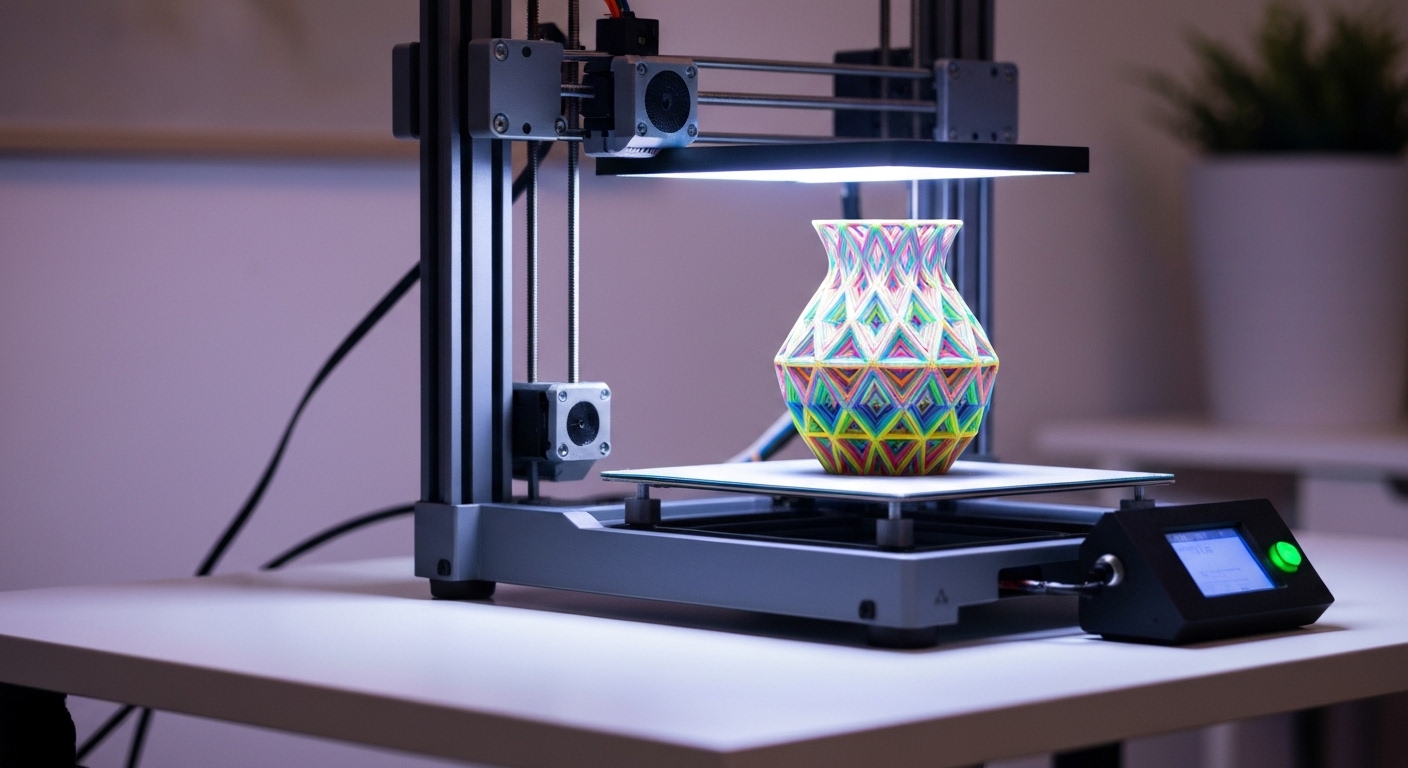
The 3D printing landscape has changed dramatically in the past few years. Machines that would have cost thousands of dollars and required days of calibration now arrive for under five hundred dollars and print beautifully within an hour of unboxing. If you have been waiting for the right time to get into 3D printing, this is it.
This review focuses on FDM (Fused Deposition Modeling) printers, which melt and extrude plastic filament layer by layer. FDM is the most accessible, affordable, and practical technology for beginners. Resin printers produce finer detail but involve messy chemicals and more post-processing — not ideal for a first printer.
How We Evaluated
Every printer was assessed on five criteria:
- Ease of setup and use — How quickly can a complete beginner go from unboxing to a successful first print?
- Print quality — How good do prints look with default settings, without extensive tuning?
- Build volume — How large can your prints be?
- Reliability — Does it print consistently without frequent failures or maintenance?
- Community and support — Are there active forums, YouTube tutorials, and available replacement parts?
Price matters, of course, but a two hundred dollar printer that wastes fifty dollars in failed prints and weekends of frustration is more expensive than a four hundred dollar printer that works.
The 6 Best Beginner 3D Printers
1. Bambu Lab A1 Mini — Best Overall for Beginners
Price: ~$300 | Build Volume: 180 x 180 x 180mm
The Bambu Lab A1 Mini has reset expectations for what a beginner printer should be. Out of the box, it auto-calibrates, auto-levels the bed, and produces prints that rival machines costing twice as much.
What makes it great:
- Fully automatic calibration — no manual bed leveling
- Built-in camera for remote monitoring via the Bambu Handy app
- Excellent default print profiles in Bambu Studio slicer
- Quiet operation compared to most FDM printers
Drawbacks:
- Smaller build volume than some competitors
- Proprietary ecosystem (though it does accept standard filament)
- WiFi-dependent features require a Bambu account
Best for: Anyone who wants to start printing immediately without fussing over settings. If you value your time more than tinkering, this is the one.
2. Creality Ender-3 V3 — Best Budget Option
Price: ~$200 | Build Volume: 220 x 220 x 250mm
The Ender-3 series has been the gateway drug of 3D printing for years, and the V3 iteration is the most refined yet. It includes auto bed leveling (finally standard, not an add-on) and a direct drive extruder.
What makes it great:
- Unbeatable price-to-build-volume ratio
- Massive community — any problem you encounter has been solved by someone
- Huge aftermarket upgrade ecosystem
- Open-source firmware (Klipper compatible)
Drawbacks:
- Print quality out of the box is good but not quite A1 Mini level
- Some assembly required (about 30-45 minutes)
- Noisier than enclosed printers
Best for: Budget-conscious beginners who enjoy tinkering and want a printer that can grow with them through modifications.
3. Bambu Lab P1S — Best Enclosed Printer
Price: ~$450 | Build Volume: 256 x 256 x 256mm
If your budget stretches to $450, the P1S is a serious machine. The full enclosure means you can print engineering materials like ABS and ASA without warping issues, and it keeps the noise down significantly.
What makes it great:
- Full enclosure for temperature-sensitive materials
- Core XY motion system — fast and precise
- Same excellent auto-calibration as the A1 Mini
- Large build volume for the price
Drawbacks:
- At $450, it is at the top of the budget range
- The enclosure makes it harder to observe prints in person (use the camera)
- Heavier and takes up more desk space
Best for: Beginners who know they will want to print functional parts in ABS/PETG/ASA, or anyone in a shared space where noise matters.
4. Prusa MINI+ — Best for Learning
Price: ~$400 | Build Volume: 180 x 180 x 180mm
Prusa Research is the company that arguably started the consumer 3D printing revolution. The MINI+ is not the flashiest or cheapest option, but it is built on open-source principles with documentation that actually teaches you how 3D printing works.
What makes it great:
- Outstanding documentation and knowledge base
- PrusaSlicer is one of the best slicers available (free, open source)
- Excellent reliability and consistent print quality
- Genuinely helpful customer support
Drawbacks:
- More expensive than the Ender-3 V3 for a similar build volume
- Slower than core XY machines like the Bambu Lab models
- Fewer bells and whistles (no built-in camera, basic display)
Best for: People who want to deeply understand how 3D printing works, not just push a button. Educators, students, and the intellectually curious.
5. Elegoo Neptune 4 Pro — Best Speed for the Price
Price: ~$260 | Build Volume: 225 x 225 x 265mm
Elegoo made its name in resin printing and brought that quality-focused approach to FDM. The Neptune 4 Pro offers Klipper firmware out of the box, enabling print speeds that rival much more expensive machines.
What makes it great:
- Klipper firmware pre-installed for high-speed printing
- Auto bed leveling and direct drive extruder
- PEI magnetic build plate (prints pop right off when cooled)
- Good build volume for the price
Drawbacks:
- Community is smaller than Creality or Bambu
- Firmware updates can be less frequent
- Default slicer profiles may need some tuning
Best for: Beginners who want fast prints and are comfortable following setup guides. Good value if you do not mind a smaller support community.
6. AnkerMake M5C — Most Plug-and-Play
Price: ~$280 | Build Volume: 220 x 220 x 250mm
Anker’s entry into 3D printing focuses on what Anker does best: making technology that just works. The M5C strips away complexity in favor of a streamlined experience controlled primarily through a phone app.
What makes it great:
- Extremely easy setup — under 15 minutes, minimal tools
- Intuitive app-based workflow
- Good print speeds (up to 500mm/s advertised)
- Clean industrial design that does not look out of place in a living room
Drawbacks:
- Heavily app-dependent — limited controls on the printer itself
- Closed ecosystem with less community modification support
- AnkerMake slicer is less mature than Cura or PrusaSlicer
Best for: Non-technical users who want a 3D printer that works like a regular consumer appliance. Great for households and classrooms.
Comparison Table
| Printer | Price | Build Volume | Auto Level | Enclosure | Speed | Community |
|---|---|---|---|---|---|---|
| Bambu A1 Mini | $300 | 180mm cube | Yes | No | Fast | Growing |
| Ender-3 V3 | $200 | 220x220x250 | Yes | No | Medium | Huge |
| Bambu P1S | $450 | 256mm cube | Yes | Yes | Very fast | Growing |
| Prusa MINI+ | $400 | 180mm cube | Yes | No | Moderate | Large |
| Neptune 4 Pro | $260 | 225x225x265 | Yes | No | Fast | Medium |
| AnkerMake M5C | $280 | 220x220x250 | Yes | No | Fast | Small |
What Else You Need
The printer is not the only cost. Budget for these essentials:
Filament
PLA is the best starting filament — it is easy to print, low odor, and biodegradable. A 1kg spool costs $15-25 and prints a surprising amount. Hatchbox PLA and Polymaker PolyLite PLA are consistently reliable.
Tools
- Flush cutters for removing supports ($5-8)
- Spatula/scraper for removing prints (usually included)
- Deburring tool for cleaning edges ($8-10)
- Digital calipers for measuring parts ($15-20)
Slicer Software (Free)
Your slicer converts 3D models into printer instructions. The big three are all free:
- PrusaSlicer — excellent for any printer, very customizable
- Bambu Studio — fork of PrusaSlicer optimized for Bambu printers
- UltiMaker Cura — long-standing option with huge printer profile library
Our Top Recommendation
For most beginners, the Bambu Lab A1 Mini hits the sweet spot. It removes the traditional frustrations of 3D printing (bed leveling, calibration, slicer tuning) and lets you focus on what actually matters: designing and printing things. The print quality is outstanding for the price, and the automatic features mean you will be printing successfully on day one.
If budget is the primary concern, the Creality Ender-3 V3 at $200 remains the best value in the market, especially if you enjoy the learning process and want a machine you can modify endlessly.
And if you know you will be printing functional parts in engineering materials, spend the extra money on the Bambu Lab P1S. The enclosure is not a luxury — it is a requirement for consistent ABS and ASA printing.
Getting Started with Your First Print
Whichever printer you choose, here is the path to your first successful print:
- Assemble and calibrate — follow the manufacturer’s guide exactly.
- Print the included test file — every printer ships with one. It validates that everything works.
- Download a simple model — Thingiverse and Printables have millions of free models.
- Slice with default settings — resist the urge to change settings on your first few prints.
- Watch the first layer — if the first layer looks good (even lines, proper adhesion), the rest will likely succeed.
The first time a physical object emerges from a machine on your desk, built from a file you chose, is genuinely magical. Every maker remembers their first successful print. Yours is an afternoon away.